WorldGuard: Test Your PvP Arena Before Opening an Event
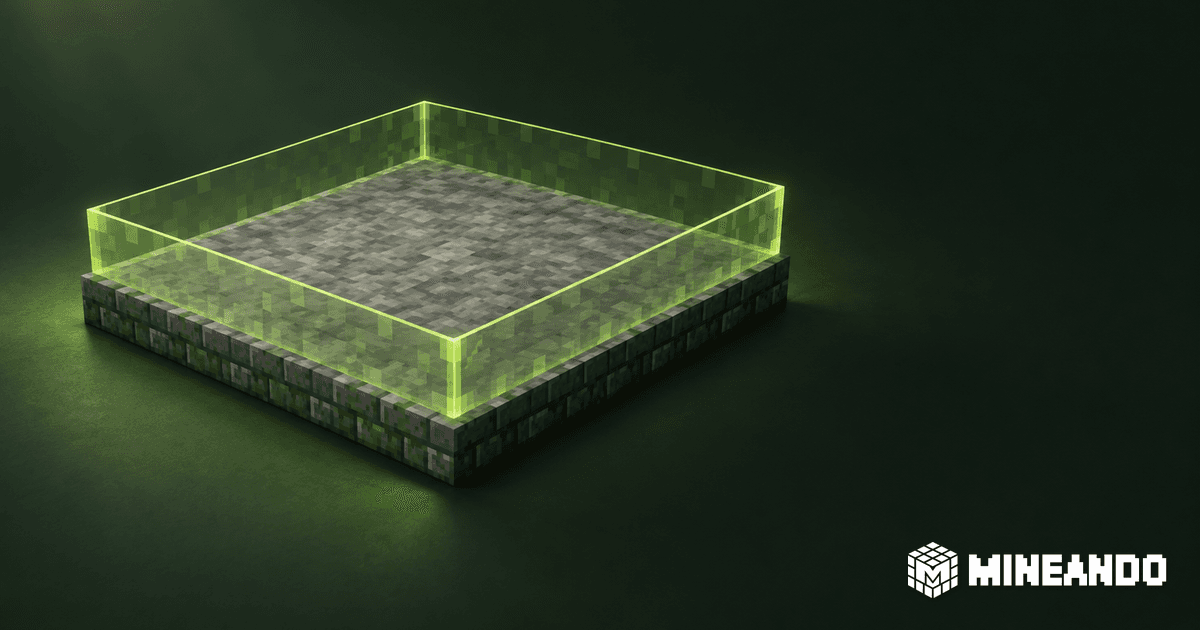
Before opening a Minecraft PvP event, test the arena with two ordinary player accounts and a written boundary checklist. Confirm that combat works where intended, stops in the waiting area, and cannot damage the map through the mechanics your event actually uses. A successful administrator test is not enough to accept the setup.
This guide is for community owners and event teams commissioning or reviewing a WorldGuard setup on a compatible Bukkit/Paper server. It proposes a rehearsal and handover procedure, not a tested configuration for your server. Record the exact server, WorldEdit, WorldGuard and event-plugin versions before starting.
Define what “protected” means for this event
Use a copy of the event environment, with a recoverable map and the same relevant plugins and permissions. Write the intended behaviour before changing flags. For a hypothetical fixed-map tournament, the requirements might be:
| Location or action | Required outcome |
|---|---|
| Two competitors inside the arena | Ordinary combat works during the round |
| Players in the waiting area | They cannot damage each other |
| Participant breaking or placing blocks | The fixed arena remains unchanged |
| Required door or start button | The intended player can use it |
| Attack across the arena boundary | Nobody in the waiting area takes damage |
| Event-specific weapon or ability | It respects the agreed protected areas |
These are proposed acceptance criteria. A building competition would need different rules. Decide separately whether eliminated players can pick up items, operate controls or return to the arena. Give every expected outcome an owner who can resolve disagreements before rehearsal.
Inspect the actual region volume
Ask the operator to list the regions covering the arena, entrance and waiting area, including their world, vertical bounds, priority, parents and membership. WorldGuard uses a WorldEdit selection to define the physical area; a new region protects against building by non-members by default. See the official region quick start.
Check the floor, balconies, stairs and spaces underneath the arena. A neatly drawn perimeter at ground level is not evidence that the intended height is covered. Mark a small set of repeatable test positions with coordinates and use the same positions after each correction.
An administrator can inspect existing regions with /rg info arena, /rg flags arena and /rg info event_site while in the intended world. The command reference documents those inspections. Here arena and event_site are example names, not regions that already exist on your server.
Resolve the arena exception deliberately
Suppose event_site encloses both the waiting area and a smaller arena. The proposal is to deny PvP across the site and permit it within the arena. For a clean rehearsal setup containing those two regions, an operator could configure:
/rg flag event_site pvp deny
/rg setpriority event_site 0
/rg flag arena pvp allow
/rg setpriority arena 10
Run this only after confirming both regions and the current world. The numbers express relative priority, not performance or capacity. This is a narrow PvP example, not a complete event configuration.
WorldGuard resolves flags using region priority and inheritance. At equal priority, a conflicting state flag's deny wins; a higher-priority region with the flag defined can override the lower one. Check the priority rules before adding exceptions.
Do not keep increasing numbers until combat happens to work. Identify every overlapping region and explain the effective result. Record any inherited settings and membership as part of the handover. Leave the general build flag unchanged in this example; allowing combat does not require granting participants building membership.
Use accounts that reveal permission mistakes
Keep the administrator account for inspection and configuration. Use two separate accounts with the actual participant permissions for gameplay checks, plus an account representing the waiting audience if that role differs.
WorldGuard warns that operator or wildcard permissions can confer protection bypass. Its worldguard.region.bypass.<world> permission bypasses region protection except PvP denial. Check the permission reference rather than interpreting every administrator result as a player result.
Record region membership as well as permission groups. WorldGuard's flag groups, such as members and nonmembers, refer to region membership, not permission-plugin groups. The flag reference explains the distinction. A participant's staff role must not silently change the test conditions. For temporary helpers, review the separate event staff permission checklist.
Rehearse both sides of every important boundary
Start with both competitors inside the arena, then both in the waiting area. Next put one on either side of the boundary and repeat attacks in both directions. Include projectiles and special items used by the event, not just a sword. Check corners, different heights and the entrance route.
For each case, record the actor, target, coordinates, item, expected result and observed result. If a check fails, save that evidence before adjusting one relevant setting. Repeat the failed case and a nearby previously passing case; a local fix can affect the adjoining area.
Repeat block interaction checks with the real participant role. Test a required button, a prohibited chest and a disposable section of the map. Perform destructive checks only in the rehearsal copy. If players need a particular interaction, commission that exception explicitly rather than adding broad membership to make the symptom disappear.
Custom mechanics need their own checks. WorldGuard documents limits to protection for other plugins and mods. A custom ability working inside the arena does not demonstrate that it respects the waiting area's boundary. Include this behaviour in any custom development scope, with a reproducible failing case if integration work is needed.
Make the opening decision reviewable
Keep a short release record: tested versions, region definitions, relevant permissions, the completed matrix, unresolved failures and the person authorised to open access. Repeat the essential checks after a controlled restart and after any subsequent change to regions, permissions or event mechanics.
Do not open if the waiting area can take prohibited damage or the map can be altered against the rules. Correct the setup, disable the affected mechanic by agreement, or postpone that part of the format. Passing this matrix covers the scenarios rehearsed; it is not a performance test or a universal protection guarantee.
If your team needs the setup and rehearsal delivered together, Mineando's Minecraft event services are scoped and quoted individually. Include the protection matrix in the brief and agree live coverage separately.