Minecraft Server RAM Guide: 2GB, 4GB, 8GB, or 12GB?
Choosing RAM for a Minecraft server is not just “more is better.” If you overbuy, you waste money. If you underbuy, chunks load slowly, lag shows up, and your friends start blaming the server.
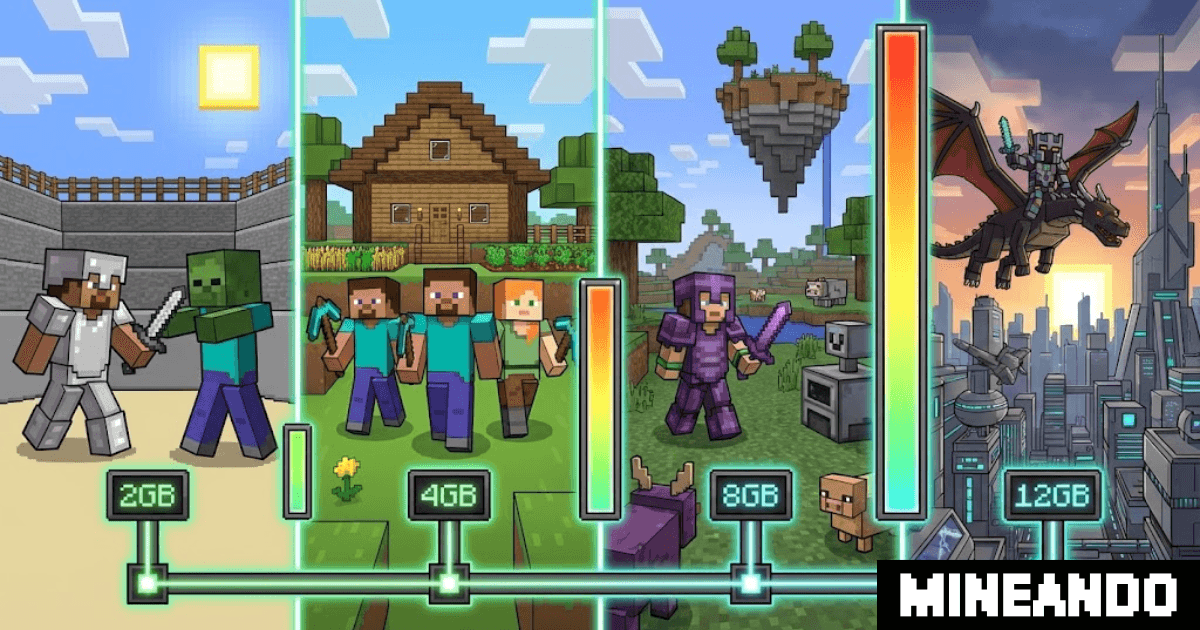
Quick answer: 2GB works for tests or older versions, 4GB is the comfortable starting point for survival with friends, 8GB is recommended for mods or more players, and 12GB fits heavy modpacks or bigger events.
Before RAM: what uses server resources?
RAM matters, but it is not the only thing. Minecraft also depends heavily on CPU performance, version, plugins, mods, and how many players are exploring at the same time.
These factors change the ideal plan:
- simultaneous players;
- Minecraft version;
- Paper, Purpur, Forge, NeoForge, or Fabric;
- number of plugins or mods;
- view distance and simulation distance;
- farms, mobs, and entities;
- web maps, voice chat, or datapacks;
- real hours your group plays per month.
That is why a 6-player server can run beautifully on 4GB or struggle on 8GB if the modpack is heavy and everyone explores at once.
2GB: testing, classic, and very light servers
The 2GB plan is not ideal for a modern survival world with several friends. Recent Minecraft versions use more memory, especially while generating terrain.
It can still make sense for:
- testing plugins before opening the server;
- solo play or 1-2 players;
- classic 1.8 or 1.12 servers;
- lightweight minigames;
- temporary worlds without mods.
If your goal is a 1.21 survival world with friends, start higher.
4GB: the recommended friend-group starting point
For most small groups, 4GB is the most balanced starting point. It works well for Paper or Purpur, essential plugins, and a sensible survival world.
Ideal for:
- modern survival with 3-6 friends;
- Paper with essential plugins;
- protections, permissions, skins, or voice chat;
- worlds where not everyone explores in different directions at once.
With optimized view distance and Paper, it can handle more. But if the group starts adding mods, move toward 8GB.
8GB: mods, exploration, and comfortable headroom
8GB is the natural step when the server stops being vanilla. It is also a good choice if you want sessions to feel smooth without tuning every setting.
Ideal for:
- medium modpacks;
- servers with 8-15 active players;
- heavy Elytra exploration;
- several heavier plugins;
- large worlds with lots of history.
If you are testing CurseForge, Forge, NeoForge, or Fabric with many mods, this is often the comfortable minimum.
12GB: heavy modpacks and events
12GB makes sense when you already know the server will be under pressure: many mods, many players, technical farms, or events with a larger group.
Ideal for:
- heavy modpacks;
- events with 20-30 players;
- technical servers with many entities;
- worlds with web maps, voice chat, and extra plugins;
- communities that need stable headroom.
You do not need to start here for a normal survival server. Use it when the project justifies it.
Quick table
| Goal | Recommended plan |
|---|---|
| Plugin testing or old versions | 2GB |
| Modern survival with 3-6 friends | 4GB |
| Paper with plugins and more headroom | 4GB - 8GB |
| Light mods or medium modpack | 8GB |
| Heavy modpack or big event | 12GB |
Real cost: do not pay for an empty server
Most friend servers are not used 720 hours per month. They are used Friday, Saturday, and maybe one short weekday session.
With Mineando, you can choose more power when you need it and turn the server off when you finish. If you start at 4GB and later want mods, turn it off, move to 8GB, and keep playing. You are not locked into a monthly plan.
This also makes testing easier. You can use more RAM for a modpack afternoon or event without paying a full month for resources you do not use.
Signs you need more RAM or tuning
Consider moving up or reviewing configuration if you see:
- crashes during world generation;
- lag when several players explore;
- restarts caused by low memory;
- low TPS with few players;
- mod errors on startup;
- very long loading times.
If the issue is constant lag, read our guide on fixing Minecraft server lag. Sometimes the problem is not RAM; it is view distance, entities, or configuration.
Conclusion
The best plan is not the biggest one. It is the plan that matches your version, players, mods, and real usage.
Create your server on Mineando, start with what fits today, and change power when your world actually needs it.