Best Minecraft Version for Servers: PVP, Mods, or Latest?
The best Minecraft version for your server depends on what your players actually want to do. A PVP practice server, a classic modpack, a modern survival world, and a latest-version vanilla server should not all use the same version.
Quick answer:
- Use 1.8.8 for old-school PVP, BedWars, SkyWars, and practice combat.
- Use 1.12.2 for classic modpacks and older tech or magic mods.
- Use the modpack's required version for modern Forge, NeoForge, Fabric, or CurseForge packs.
- Use the latest stable version when your group wants current vanilla survival features.
On Mineando, you can create a server for the version you need, test performance, and adjust the plan if your players, mods, or plugins need more room.
Why 1.8.8 is still popular for PVP
Minecraft 1.8.8 is still the default choice for many competitive PVP communities because it uses the older combat feel. If your server is focused on BedWars, SkyWars, Practice PVP, bridging, or classic minigames, this is usually the version players expect.
Best fit:
- PVP practice;
- BedWars and SkyWars style minigames;
- older competitive plugins;
- lightweight servers with low RAM needs.
A small 1.8.8 PVP server can often start with less RAM than a modern survival or modded server. Keep plugins focused and test combat feel with real players before opening the server widely.
Why 1.12.2 is still useful for classic mods
Minecraft 1.12.2 remains important because many classic modpacks were built around it. If your group wants older industrial, magic, automation, or kitchen-sink packs, do not choose the latest version just because it is newer.
Best fit:
- classic Forge modpacks;
- older tech and magic mods;
- groups replaying famous modpack eras;
- servers where mod compatibility matters more than new vanilla features.
The tradeoff is that modded servers need more memory than vanilla servers. Start with a realistic RAM plan and leave headroom for world generation, machines, dimensions, and player activity.
Modern modpacks: follow the pack, not the number
For modern modded Minecraft, the best version is usually the one the modpack was designed for. Many newer packs target specific versions such as 1.16.5, 1.18.2, 1.20.1, 1.21.x, or later. Mixing versions by hand can create crashes, missing dependencies, and confusing support problems.
Use this rule:
- Pick the modpack first.
- Check its required Minecraft version and loader.
- Choose the matching server software: Forge, NeoForge, Fabric, or Quilt.
- Give the server enough RAM for the pack, not just for vanilla Minecraft.
If you are choosing between server software, our Paper, Forge, NeoForge, and CurseForge guide explains the difference.
Latest survival and the new 26.x numbering
If your goal is a normal survival server with the newest blocks, mobs, structures, and gameplay features, use the latest stable version supported by your server software.
One important freshness note: Minecraft's version naming is changing. Mojang has explained that releases starting in 2026 use a new version-numbering system, so current releases may look like 26.x instead of another 1.21.x style number.
That does not mean your old 1.8 or 1.12 server suddenly becomes wrong. It just means "latest" is a moving target. When you create a server, check the latest stable option available in your panel and confirm your plugins or mods support it.
Paper, Fabric, Forge, or NeoForge?
Version number is only half the decision. Server software matters too:
| Goal | Recommended software | Why |
|---|---|---|
| Vanilla-style survival with plugins | Paper or Purpur | Better performance and plugin support |
| Classic modpacks | Forge | Many older packs were built for Forge |
| Newer modpacks | Forge, NeoForge, or Fabric | Follow the pack requirements |
| Crossplay with Bedrock friends | Paper + GeyserMC | Bedrock players can join a Java server |
| Pure vanilla testing | Official server jar | Closest to default Minecraft behavior |
If you want Bedrock players to join a Java server, read our GeyserMC crossplay guide before choosing the final setup.
Version decision table
| Your goal | Best starting version | Notes |
|---|---|---|
| Competitive PVP | 1.8.8 | Best for classic combat feel |
| Classic mods | 1.12.2 | Strong for older Forge modpacks |
| Modern modpack | Pack requirement | Do not guess; match the modpack |
| Plugin survival | Latest Paper-compatible version | Good for friends, SMPs, and simple communities |
| Latest vanilla features | Latest stable release | In 2026, this may use the newer 26.x numbering |
RAM guidance by version
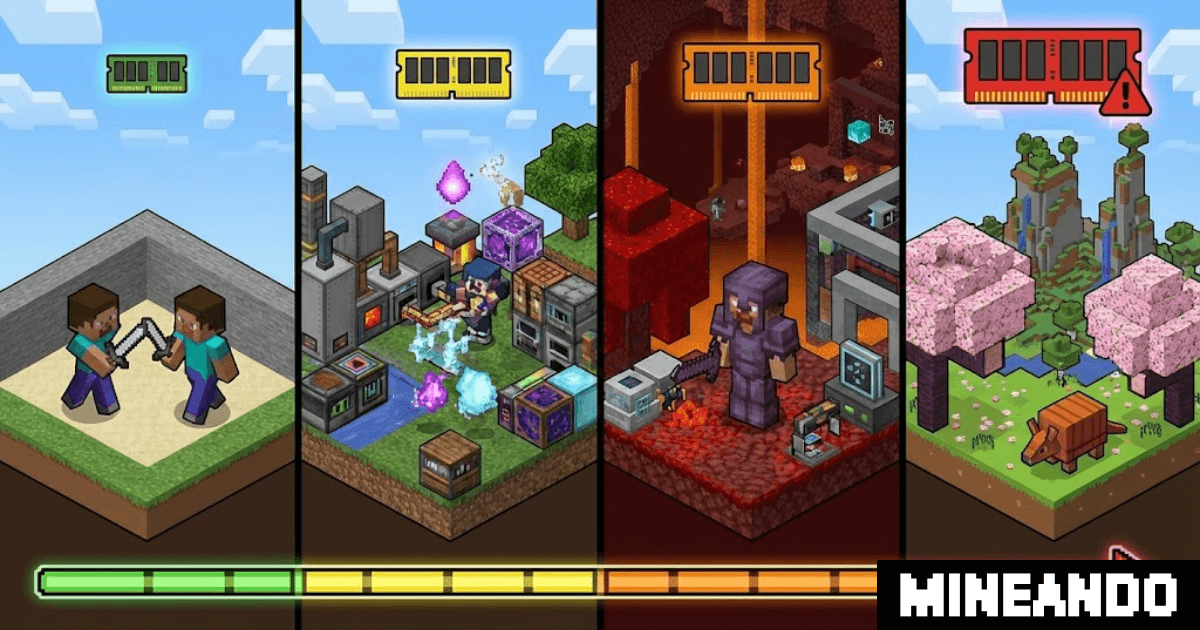
Older does not always mean tiny, and newer does not always mean impossible. The real RAM need depends on players, view distance, plugins, mods, and world activity.
As a rough starting point:
- 1.8.8 PVP: start small and keep plugins lean.
- 1.12.2 classic modpacks: plan for more RAM, especially with tech mods.
- Modern modpacks: follow the pack recommendation and add headroom.
- Latest survival on Paper: start sensibly, then scale if exploration or farms push usage up.
For a deeper breakdown, use our Minecraft server RAM guide.
Conclusion
The best Minecraft server version is the one that matches your goal. Use 1.8.8 for PVP, 1.12.2 for classic mods, the modpack's required version for modern modded play, and the latest stable release for current survival.
Create your server on Mineando, test with your real players, and scale the plan based on what your world actually does.