Can Minecraft Java and Bedrock Play Together? Complete Crossplay Guide
Can Minecraft Java and Bedrock Play Together? Complete Crossplay Guide
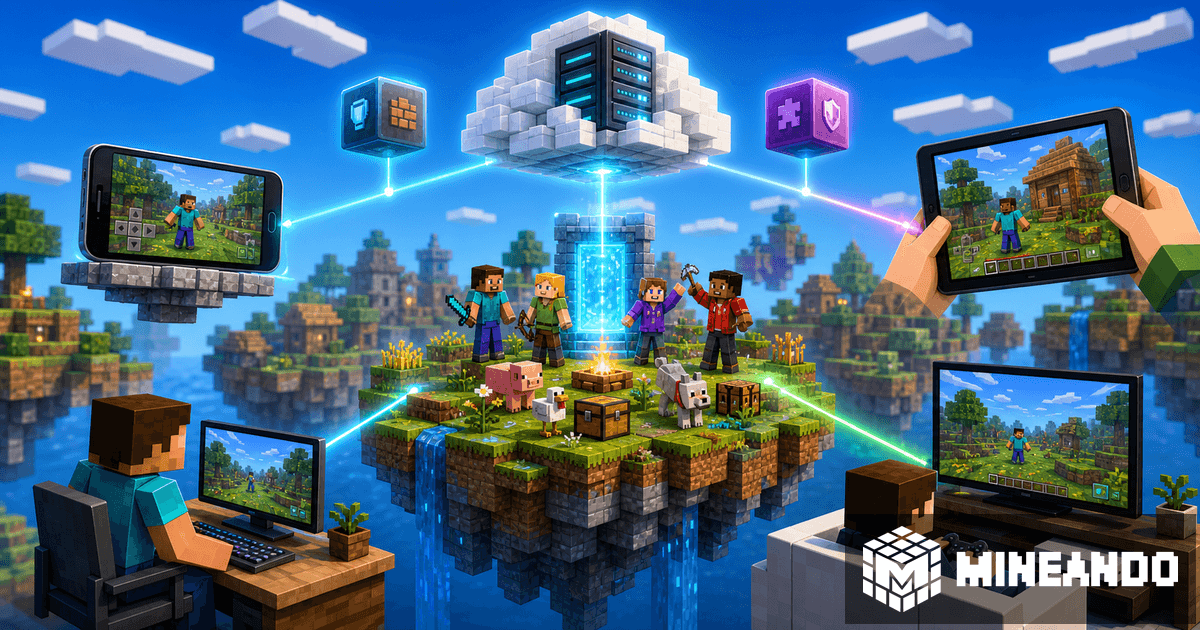
Yes, Minecraft Java and Bedrock can play together, but there is one important detail: it does not happen automatically in every world. The usual setup is to run a Java Edition server and add a compatibility layer so Bedrock players can join from mobile, console, or Windows.
The most common way to do this is GeyserMC, a bridge that translates Bedrock connections so a Java server can understand them. On a Paper or Spigot server, that lets one friend group play together even when everyone uses a different platform.
Quick answer
If you play Java and your friends play Bedrock, you have three realistic options:
- Use Realms, if everyone fits within its limits.
- Run a Java server with GeyserMC so Bedrock players can join.
- Keep two separate worlds, which is usually the worst option if the goal is playing together.
For most friend groups with PC, mobile, and console players, a crossplay Java server is the strongest option. You keep plugins, server control, and more flexibility than a basic world.
What you need for Java and Bedrock crossplay
The recommended base is a Java server running Paper. Paper works well for plugin-based servers and is usually more stable than vanilla when you have several players, commands, and performance settings.
Then you install GeyserMC. Geyser acts as the translator between Bedrock and Java. Java players join normally, while Bedrock players connect using the server address and a Bedrock-compatible port.
In many setups, you also install Floodgate. Floodgate makes the Bedrock login experience easier and avoids forcing Bedrock players to behave like Java accounts. If your group mixes Java and Bedrock accounts, this usually makes the server feel smoother.
Does it work on console?
On mobile and Windows Bedrock, joining is usually more direct. On console, the exact joining flow can depend on how that platform allows external servers. The technical idea is the same, but Switch, PlayStation, or Xbox players may need extra steps to point the game at the server.
That is why it helps to explain the plan before inviting everyone: Java joins through the normal server address, Bedrock joins through the Bedrock address and port, and console players may need platform-specific connection steps.
Real crossplay limitations
Crossplay does not mean Java and Bedrock become identical. Some mechanics, menus, items, or visuals can behave differently. Geyser does a lot of work, but it is still translating between two different editions.
There is also some extra server load because packets are translated in real time. For a small friend group, that is usually fine, but you should choose a plan with room to breathe if you are using plugins, farms, many loaded chunks, or heavy modpacks.
How to set it up on Mineando
The practical route looks like this:
- Create a server on Mineando with Paper.
- Open the panel and go to files or plugins.
- Install GeyserMC for Paper/Spigot.
- Add Floodgate if you want easier Bedrock access.
- Check which Bedrock port the server will use.
- Restart, test first with a Java account, then with a Bedrock account.
If you already have a server and only want to add crossplay, read our specific GeyserMC Java and Bedrock guide.
When Mineando makes more sense than Realms
Realms is convenient if you want the simplest possible setup. But if you want plugins, more control, files, events, maps, permissions, or paying only while the server is on, hourly hosting makes more sense.
That matters for friend groups. Many servers are used on Friday, Saturday, and maybe a short weekday session. With Mineando, you can turn the server on to play and turn it off when you finish instead of paying a fixed fee for an empty world.
Conclusion
Java and Bedrock can play together if you choose the right setup. The most flexible combination is a Java server with Paper, GeyserMC, and Floodgate. You keep Java server control while opening the door to mobile, console, and Windows Bedrock friends.
If you want to try it without port forwarding or router headaches, create a server on Mineando, install GeyserMC, and bring the group into one world.